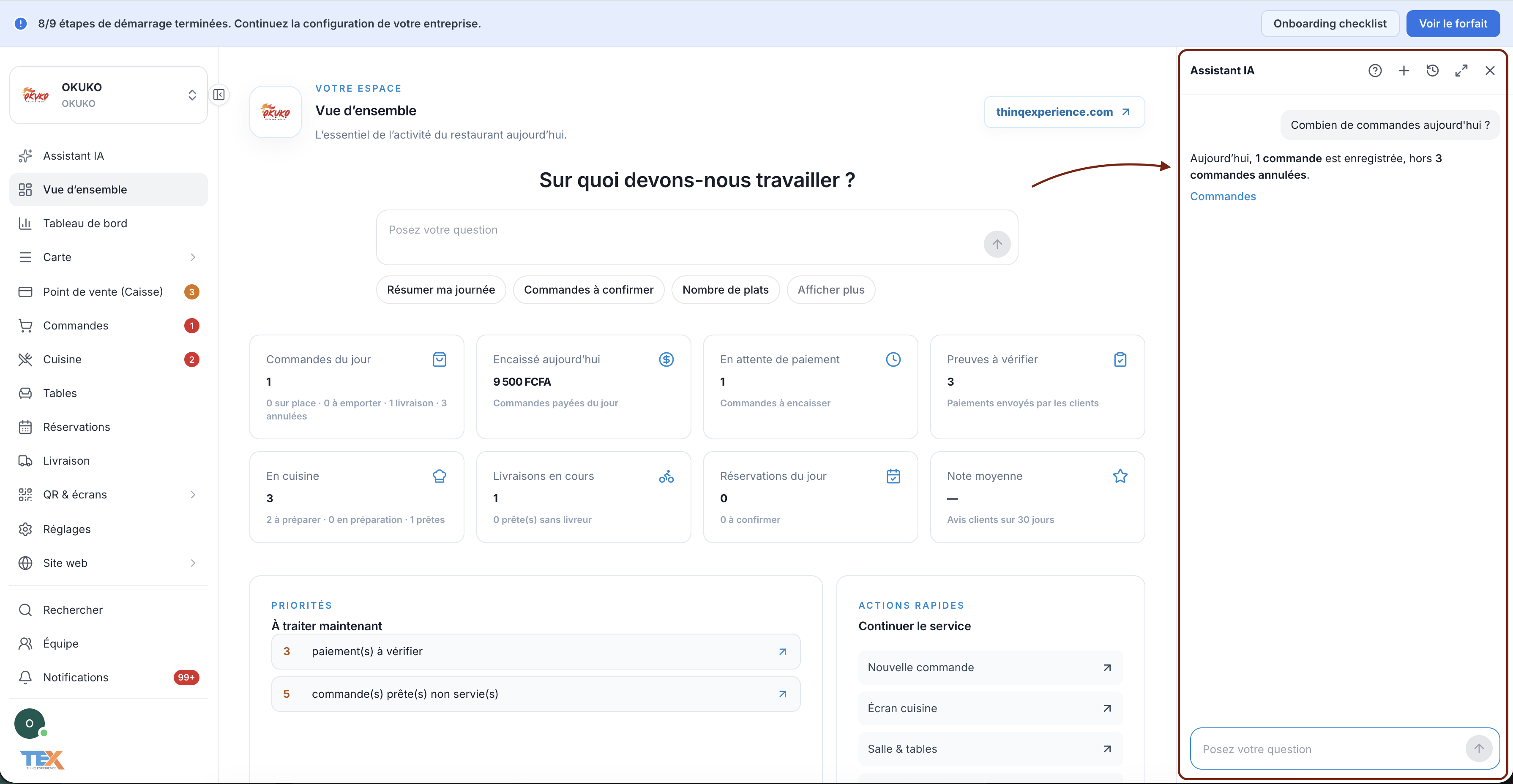
An assistant for the team
ThinqAgent is the back-office AI assistant. It only serves the team: it never talks to your customers (replies to customers belong to the customer AI agent, set up separately). It is available in Retail, Restaurant and Services workspaces.
Open the assistant
Click “ThinqAgent” in the left menu, from any page. On the workspace home page, the “What should we work on?” bar also opens the assistant with your question or a suggestion.
- Write your request in the “Tell me what I can do for you” field.
- Press Enter to send; Shift + Enter adds a new line.
- Read the reply: the links offered open the page concerned.
Full screen, new conversation and history
At the top of the panel, “Full screen” enlarges the conversation; pressing it again shrinks it. “New conversation” starts from a blank page. “Past conversations” lists your previous exchanges: choose one to resume it. The cross closes the panel without deleting the conversation.